Use DocInsight > Documentation Inspector to open a dockable documentation window synchronized with the Delphi source editor. It works with the declaration at the current caret position and provides separate Preview and Design modes.
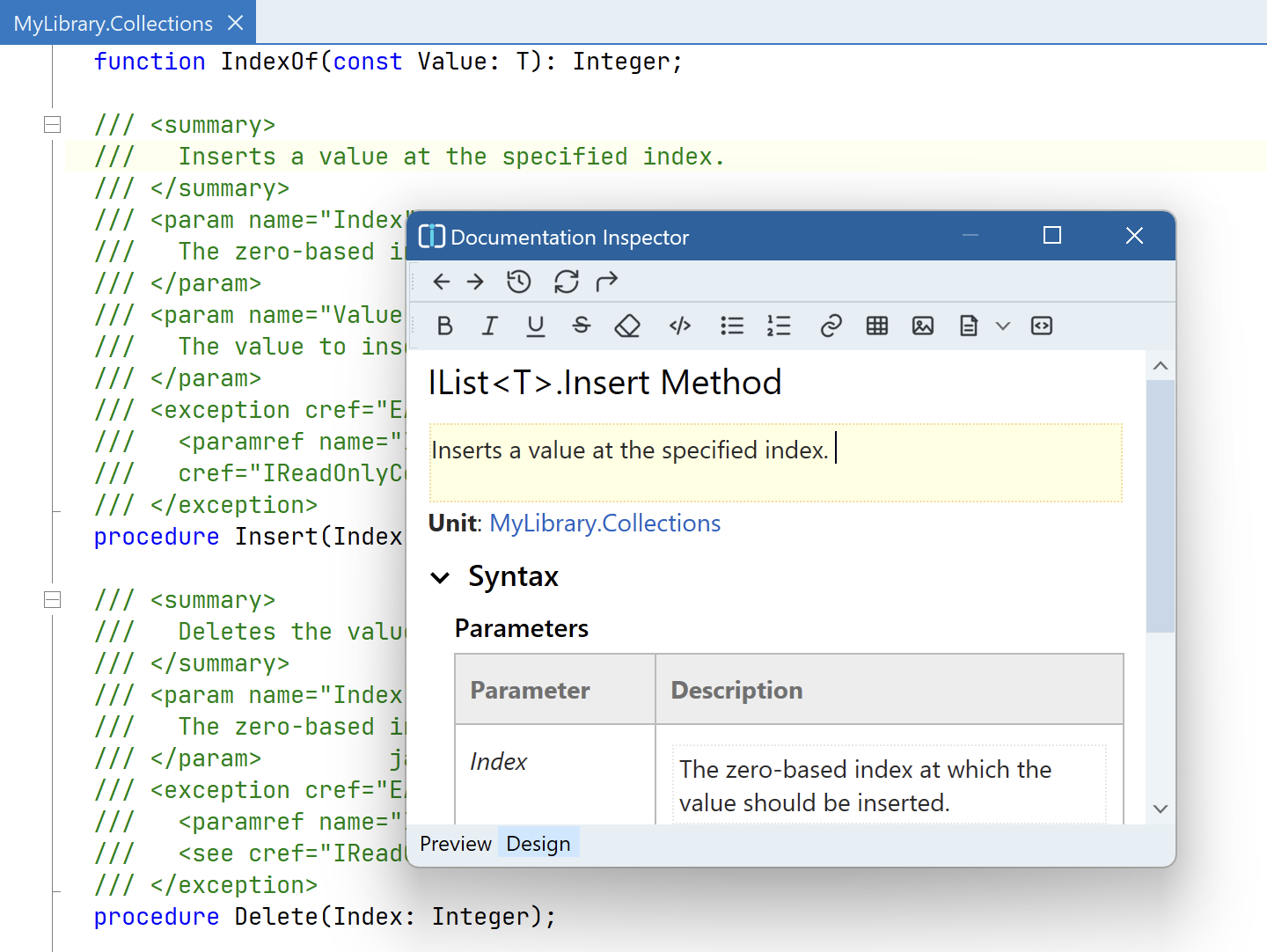
Use Preview to see the generated API documentation for the current unit, type, method, property, or other declaration. The preview combines information from the declaration with its XML documentation comment.
Follow documentation links to move between related symbols, use Back and Forward to navigate the history, and use Go to Declaration to return to the corresponding location in the source editor.
Use Design as a WYSIWYG editor for summaries, parameters, return values, remarks, and other documentation sections. The formatting toolbar supports bold, italic, underline, strikethrough, inline code, bulleted and numbered lists, links, tables, images, and code blocks.
DocInsight converts visual edits to well-formed XML documentation and updates the comment associated with the declaration in Delphi source. For common documentation, you do not need to edit the XML markup by hand.
The visual editor does not currently provide a dedicated Xref target picker. To author an xref link, select Insert link > URI and enter an xref: URI, such as xref:docs/collections. You can also add the corresponding xref attribute directly in the Delphi source editor; see Link API symbols and topics.
After editing comments, check documentation in the IDE to find XML documentation problems in the selected source scope. Run docinsight check when you also need to check the configured documentation project.